One useful software architecture lesson comes from an unusual place: termite mounds.
Many fungus-farming termites do not live inside the visible mound the way people live inside a house. The mound is closer to an external organ. It helps regulate air, heat, humidity, and gas exchange for the colony and the underground nest.
A PNAS study on Odontotermes obesus, also available on arXiv, reported that mound geometry, thermal mass, and porosity can use day-night temperature swings to drive cyclic airflow and flush carbon dioxide from the nest.
A 2025 Journal of the Royal Society Interface review revisited termite mound architecture through X-ray tomography and flow simulation, while also noting that there are still open questions about exactly how mound structures produce climate control across species and environments.
The important lesson is not that termites are better engineers than software teams.
The useful lesson is narrower: complex coordination can happen through the environment itself.
Previous work changes the surroundings. Those changes guide the next action. In biology and complex systems, this kind of indirect coordination is often called stigmergy: one action leaves a trace in a shared medium, and that trace shapes later actions by the same or other agents.
That idea maps surprisingly well to AI-assisted development.
The next agent does not know what you know
When you work with Cursor, Claude Code, Codex, Bolt, Lovable, Replit, or another AI-assisted tool, the agent is not entering your project with your full mental model.
It may see the files. It may read a README. It may inspect package scripts. It may infer structure from filenames, imports, migrations, and tests.
But it does not automatically know which parts of the app are safe to touch.
It does not know that billing status logic is duplicated in two places because of an old experiment.
It does not know that one Supabase policy is compensating for a missing server-side validation rule.
It does not know that a temporary admin page is still reachable in production.
It does not know that a deployment variable has a different name in Vercel than it has locally.
It does not know that one failing test is harmless, while another test is the only thing protecting account boundaries.
This is where many AI-built apps become risky. The code works well enough to demo, but the project does not leave enough reliable traces for safe future change.
So every new AI-assisted session starts with a guessing game.
Agent interfaces are not only for APIs
There is a related idea emerging in software research: software may need to be designed not only for human users, but also for AI agents.
A March 2026 arXiv preprint argues for a shift from human interfaces to agent interfaces. Its key concept is not “add a chatbot.” It is “invocable capabilities”: explicit, machine-readable functions with structured inputs, clear outputs, expected side effects, and predictable failure modes.
A June 2026 HCI preprint on human-AI agent interaction in business settings makes a similar point from the user-experience side: AI agents are increasingly part of business workflows, so their interaction patterns need to be designed, evaluated, and trusted rather than treated as invisible backend automation.
That framing is useful. But founders and small teams do not need to turn every project into an agent-native platform before they can benefit from the idea.
For most AI-built apps, the first step is simpler:
Make the existing codebase easier for an agent to enter safely.
Not by writing one massive prompt.
Not by relying on a heroic README.
Not by asking the agent to analyze the whole repo from scratch every time.
Instead, leave small, reliable traces inside the project.
Your repo can guide the agent
Think of the codebase as the habitat.
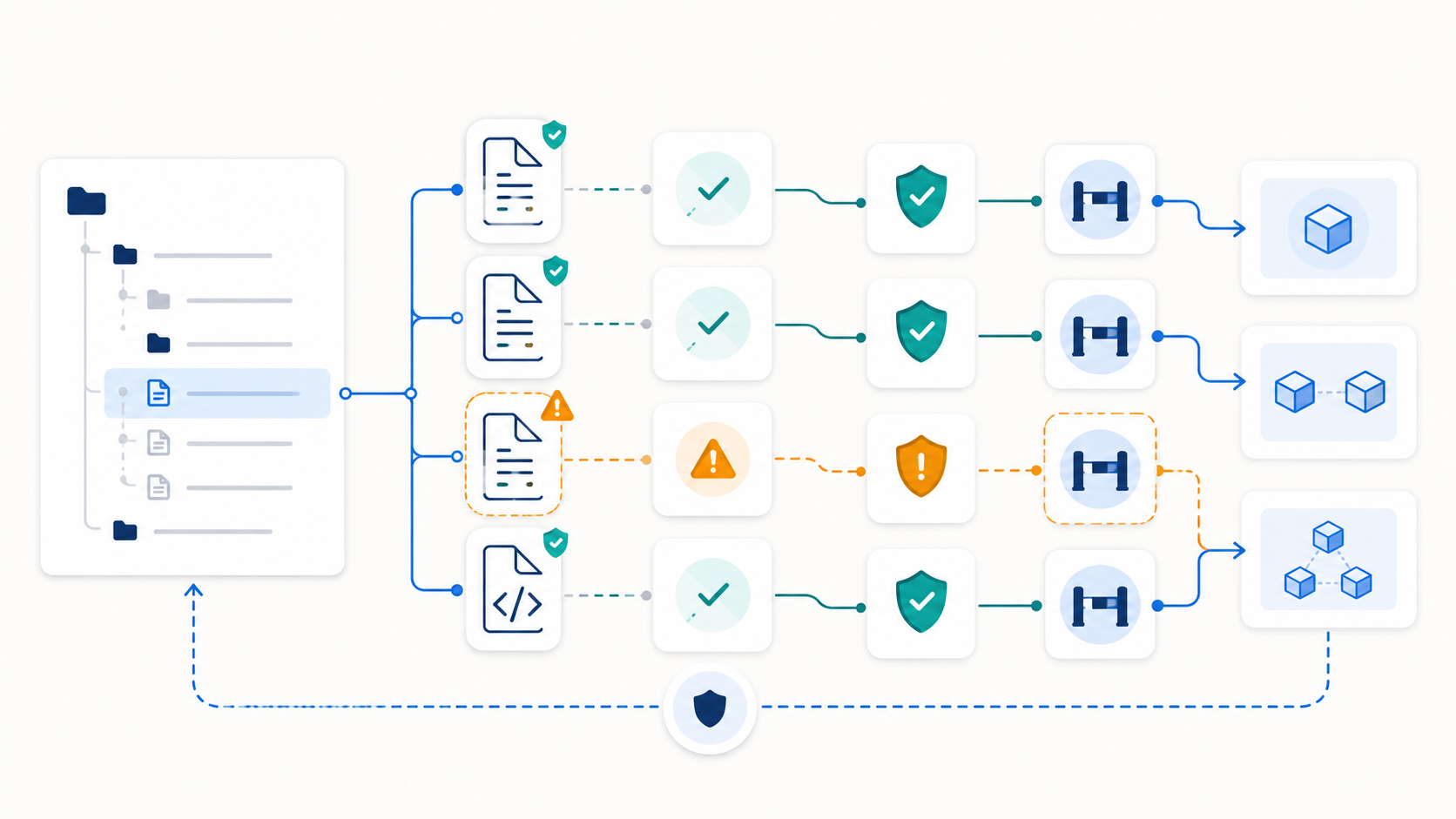
The agent will react to whatever traces are available: filenames, tests, scripts, comments, error patterns, config files, logs, database migrations, previous commits, and documentation.
If those traces are outdated, duplicated, misleading, or missing, the agent may confidently take the wrong path.
A production-ready AI-assisted workflow should make the safe path more visible than the dangerous path.
This does not require a new SaaS tool, framework, or architecture rewrite. It can start with a small project note committed to the repo.
For example, a file such as AGENTS.md, PROJECT_MAP.md, or AI_CHANGE_GUIDE.md can tell future coding agents:
- The safest commands to run locally.
- Which tests are authoritative.
- Which folders contain business rules.
- Which files control auth, permissions, billing, and data ownership.
- Which parts of the app are fragile or legacy.
- Which actions require human review.
- Which environment variables exist only in production.
- Which deployment steps are easy to break.
- Which generated files should not be edited manually.
This is not documentation for documentation’s sake.
It is a trail map for future work.
The best traces are small and specific
A useful agent-readable trace should be boring.
That is a compliment. The goal is not to impress the AI. The goal is to reduce ambiguity.
Bad trace:
Be careful with auth.
Better trace:
Auth rules live in
src/lib/auth,middleware.ts, and Supabase RLS policies. Before changing account access, check both server-side validation and database policies. Do not rely only on client-side role checks.
Bad trace:
Run tests before deploying.
Better trace:
For billing changes, run the Stripe webhook tests and manually verify subscription state transitions: trialing, active, past_due, canceled. Billing UI state is not the source of truth.
Bad trace:
This project uses Supabase.
Better trace:
Database ownership is enforced through Supabase RLS. Any query that reads user-owned records must preserve account and user ownership assumptions. Do not add admin bypasses without review.
The environment nudges the next action. That is the point.
What this prevents in AI-built apps
AI-assisted development often creates speed before verification.
That is not automatically bad. It lets founders and small teams build working prototypes faster than before.
The production risk appears later, when the app grows faster than the builder’s ability to verify architecture, account boundaries, failure handling, and deployment assumptions.
A codebase with no clear traces makes these problems worse.
An agent may fix a visible bug by adding duplicated logic.
It may patch a UI symptom while ignoring the underlying data ownership issue.
It may add another environment variable without checking deployment configuration.
It may update a form without updating server-side validation.
It may change a database query without understanding RLS.
It may add a feature that works for the happy path but breaks billing, retries, or support workflows.
These are not simply “AI is bad at coding” problems.
They are habitat problems. The agent is operating in an environment that does not clearly show what matters.
A practical agent trail map
For a small production app, an agent trail map can be one page.
Start with these sections.
Safe entry points
List the commands that are safe to run.
For example: install, dev server, typecheck, lint, unit tests, build, database test reset, local webhook simulation, and deployment preview.
Also include commands the agent should not run without approval, such as destructive migrations, production database operations, or billing webhook replays.
Business rules
Point to the files that define real product behavior.
This usually includes auth, permissions, pricing, subscription state, onboarding, data ownership, email sending, and anything connected to money or customer access.
For AI-built apps, this section is especially important because business logic often gets spread across components, server routes, edge functions, and database policies.
Fragile areas
Name the parts of the app that are known to be risky.
This could be a generated admin panel, an old integration, a workaround in a webhook handler, a migration that cannot be safely reversed, or duplicated validation logic.
You are not trying to fix everything in this file. You are making the risk visible.
Review gates
State which changes require human review.
Good examples include auth changes, billing state changes, database migrations, permission rules, production deployment settings, email deliverability, and any change that affects user data.
This gives the agent a clear stopping point instead of encouraging it to continue confidently into areas that need human judgment.
Authoritative tests
Tell the agent which tests matter most.
Not all tests carry equal meaning. A snapshot test may be less important than a test that proves users cannot access another account’s records.
Make the difference clear.
This is smaller than MCP, but pointed in the same direction
The Model Context Protocol is one example of the broader movement toward giving AI systems more structured ways to access tools, data, and workflows. Its documentation describes MCP as an open standard for connecting AI applications to external systems such as data sources, tools, and specialized prompts.
That is useful for tool ecosystems.
But inside an individual app, many teams need something humbler first.
They need their repo to say:
Start here.
Do not touch this casually.
This test protects account boundaries.
This file controls billing state.
This command is safe.
This operation needs approval.
Those traces do not replace good architecture, tests, database rules, or deployment discipline. They make those things easier for the next agent, contractor, teammate, or future version of you to find.
The ten-minute version
Open one existing project and create a short scratch note.
Title it:
What would an AI agent misunderstand here?
Write only three lines:
The safest entry point is…
The most dangerous hidden side effect is…
Before editing, always check…
Do not refactor anything yet.
Do not build a dashboard.
Do not design a new system.
Just leave the first trail.
The next time you use an AI coding agent, paste that note into the session or commit it as the beginning of your project trail map.
Small traces compound.
Production readiness is partly environmental
A production-ready codebase is not only one that works.
It is one that can be changed safely.
For AI-built apps, that means the project should not depend entirely on the founder remembering every hidden assumption. The repo itself should carry more of the memory.
Where are the account boundaries?
Where is data ownership enforced?
Which tests prove the billing flow?
Which deployment settings are risky?
Which generated files should not be edited?
Which parts were inherited from a prototype and still need review?
The more clearly your project answers those questions, the less each AI-assisted session depends on luck.
Is your Bolt, Lovable, Cursor, or Claude Code app working, but becoming harder to modify safely? A Code Rescue Audit examines visible bugs, duplicated logic, fragile architecture, missing validation, deployment risks, permission issues, billing state, tests, and inherited patterns that can block a reliable launch.
Sources and further reading
- Hunter King, Samuel A. Ocko, and L. Mahadevan, “Termite mounds harness diurnal temperature oscillations for ventilation.”
- PubMed record for “Termite mounds harness diurnal temperature oscillations for ventilation.”
- Nengi F. Karibi-Botoye et al., “Termite mound architecture and climate control: a review of X-ray tomography and flow field simulation approaches,” Journal of the Royal Society Interface, 2025.
- Francis Heylighen, “Stigmergy as a Universal Coordination Mechanism.”
- Shaolin Wang et al., “From Human Interfaces to Agent Interfaces: Rethinking Software Design in the Age of AI-Native Systems,” arXiv preprint, 2026.
- “Human-AI Agent Interaction in a Business Context,” arXiv preprint, 2026.
- Model Context Protocol documentation.